How to close all open documents or windows in Word
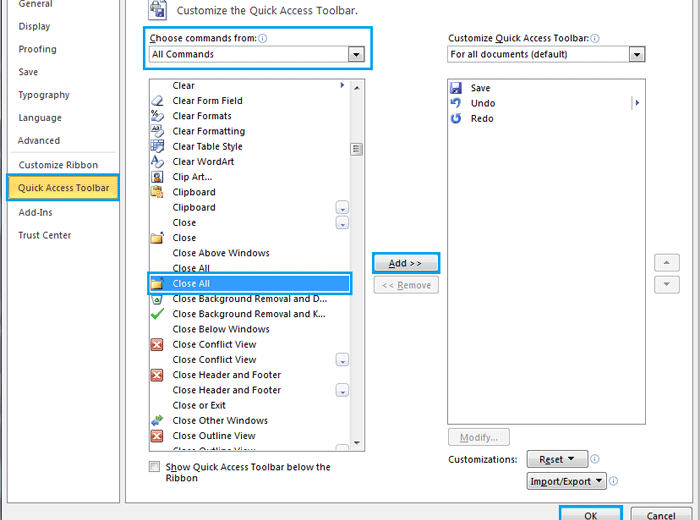
To close all open documents or windows in Word, you can use several methods: Close all documents or windows by clicking Taskbar: Put your cursor on the Taskbar and right-click. Click “Close all windows.” Close all documents or windows by using Close All command: Add the “Close All” command to the Quick Access Toolbar: In … Continue reading How to close all open documents or windows in Word

0 Comments