
• Microsoft Office
  • Microsoft Windows
  • Other Software
    • Microsoft Visual
    • Microsoft Project
    • Microsoft Visio
    • Anti Virus
  • Blog
    • Word
    • Excel
    • Powerpoint
    • Software tricks/tips

No products in the cart.

  • Microsoft Office
  • Microsoft Windows
  • Other Software
    • Microsoft Visual
    • Microsoft Project
    • Microsoft Visio
    • Anti Virus
  • Blog
    • Word
    • Excel
    • Powerpoint
    • Software tricks/tips

No products in the cart.

  • Microsoft Office
  • Microsoft Windows
  • Other Software
    • Microsoft Visual
    • Microsoft Project
    • Microsoft Visio
    • Anti Virus
  • Blog
    • Word
    • Excel
    • Powerpoint
    • Software tricks/tips

No products in the cart.

  • Microsoft Office
  • Microsoft Windows
  • Other Software
    • Microsoft Visual
    • Microsoft Project
    • Microsoft Visio
    • Anti Virus
  • Blog
    • Word
    • Excel
    • Powerpoint
    • Software tricks/tips
Software tricks/tips

Software Feature Prioritization

0 Comments

In software development, deciding which features to develop first is a crucial decision that can significantly impact a product’s success. This process is known as Software Feature Prioritization. In this article, we will explore its importance, common methods, and how to effectively carry out this process.

1. What is Software Feature Prioritization?

Software Feature Prioritization is the process of determining the order in which software features should be developed based on criteria such as business value, technical complexity, user demand, and development resources. The main goal is to ensure that the features that provide the highest value to users and the business are developed first.
Software Feature Prioritization2. Why is Software Feature Prioritization Important?

This process is vital for several reasons:

Resource Optimization: Development resources are often limited, so prioritizing features helps focus on what matters most.
Enhancing Product Value: By developing the features that users need the most first, you can quickly deliver value and increase customer satisfaction.
Reducing Risk: Developing the most critical features first helps mitigate the risk of failing to meet market demands.

Software Feature Prioritization3. Common Methods for Software Feature Prioritization

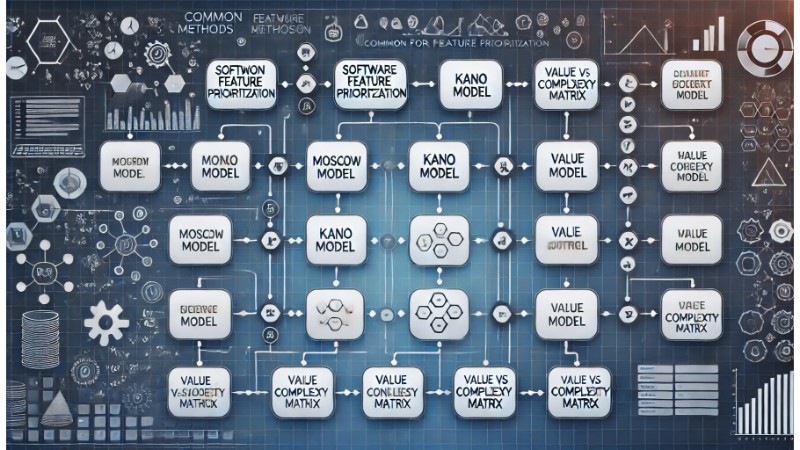
Here are some popular methods to prioritize software features:

MoSCoW Method
This method categorizes features into four groups: Must-have, Should-have, Could-have, and Won’t-have. It’s a simple yet effective approach to identifying the most important features.

Kano Model
The Kano Model focuses on customer satisfaction, dividing features into three categories: Basic Needs, Performance Needs, and Excitement Needs. This model helps identify which features will make the most significant difference in the user experience.

Value vs. Complexity Matrix
This matrix compares the value of a feature with the complexity of developing it. Features that offer high value but are low in complexity should be prioritized.
Software Feature Prioritization

4. How to Implement Software Feature Prioritization Effectively

To effectively prioritize features, follow these steps:

Gather Input from Stakeholders: Collect input from users, the development team, and other stakeholders to create a list of potential features.

Apply Prioritization Methods: Use methods like the MoSCoW Method, Kano Model, or Value vs. Complexity Matrix to determine the order of priority.

Regularly Re-evaluate: Market conditions and user needs can change, so it’s essential to regularly re-assess feature priorities.

Communicate Clearly: Ensure that all stakeholders understand why a feature is prioritized or delayed.

Software Feature PrioritizationConclusion

Software Feature Prioritization is an integral part of the software development process, helping to optimize resources, enhance product value, and ensure customer satisfaction. By applying effective methods and carefully executing this process, you can succeed in software development and deliver features that best meet user needs.


 

Rate this post
37
156 Views
To Work with Workspaces (AutoLISP/VS Code)PrevTo Work with Workspaces (AutoLISP/VS Code)August 26, 2024
How To use Live Share with Visual Studio CodeAugust 29, 2024How To use Live Share with Visual Studio CodeNext
Buy Windows 11 Professional MS Products CD Key
Buy Office 2021 Professional Plus Key Global For 5 PC
Top rated products
  • Windows Server 2022 Datacenter Key Global Windows Server 2022 Datacenter Key Global
    Rated 5.00 out of 5
    $7.00
  • Kaspersky Small Office Security 10 PCs + 10 Mobiles + 1 Server 1 Year Kaspersky Small Office Security 10 PCs + 10 Mobiles + 1 Server 1 Year
    Rated 5.00 out of 5
    $164.50
  • Avast Ultimate Suite 2021 1 Year 10 Devices Global Avast Ultimate Suite 2021 1 Year 10 Devices Global
    Rated 5.00 out of 5
    $54.00
  • Windows 11 Pro Key Global Windows 11 Pro Key Global
    Rated 5.00 out of 5
    $6.00
  • Avast Premium Security 2021 10 Devices 2 Years Global Avast Premium Security 2021 10 Devices 2 Years Global
    Rated 5.00 out of 5
    $41.00
Products
  • Trend Micro Internet Security 3 Devices 1 Year Key GLOBAL Trend Micro Internet Security 3 Devices 1 Year Key GLOBAL
    Rated 5.00 out of 5
    $17.00
  • Microsoft Visio Professional 2010 Key 1PC Microsoft Visio Professional 2010 Key 1PC $9.00
  • Buy Windows 11 Pro CD Key License Buy Windows 11 Pro CD Key License
    Rated 5.00 out of 5
    $6.00
  • Kaspersky Plus - 1 Device 1 Year - GLOBAL Kaspersky Plus - 1 Device 1 Year - GLOBAL $23.00
  • Microsoft Visio Standard 2021 Key 1PC Microsoft Visio Standard 2021 Key 1PC $13.00
  • AVG Internet Security 2021 1 Device 1 Year Global AVG Internet Security 2021 1 Device 1 Year Global
    Rated 5.00 out of 5
    $11.00
  • Windows 10 Pro Key Global Windows 10 Pro Key Global
    Rated 4.74 out of 5
    $6.00
  • Windows Server 2016 Standard Key Global Windows Server 2016 Standard Key Global
    Rated 4.80 out of 5
    $10.00
  • Microsoft Project Standard 2019 - 1 PC Microsoft Project Standard 2019 - 1 PC $12.00
  • Avast Premium Security 2021 10 Devices 2 Years Global Avast Premium Security 2021 10 Devices 2 Years Global
    Rated 5.00 out of 5
    $41.00
Recently Viewed Products
  • Microsoft Visio Professional 2016 Key 1PC Microsoft Visio Professional 2016 Key 1PC $9.00
  • Windows Server 2022 Remote Desktop Services Device Connections (50) Cal Key Global Windows Server 2022 Remote Desktop Services Device Connections (50) Cal Key Global $22.00
  • Microsoft Office Professional Plus 2010 retail Microsoft Office Professional Plus 2010 retail CD Key Global $11.00
  • Microsoft Visual Studio Enterprise 2019 For 1 PC Microsoft Visual Studio Enterprise 2019 For 1 PC $15.00
  • Kaspersky Total Security 2021 1 year 5 devices key Global Kaspersky Total Security 2021 1 year 5 devices key Global $46.00
  • Project Professional 2010 Microsoft Project Professional 2010 - 1PC $9.00
Product categories
  • Anti Virus
  • Microsoft Office
  • Microsoft Project
  • Microsoft Visio
  • Microsoft Visual
  • Microsoft Windows
  • Other Software
  • Uncategorized

Buffcom.net always brings the best digital products and services to you. Specializing in Office Software and online marketing services

BIG SALE 50% IN MAY

Microsoft Office
Microsoft Windows
Anti-Virus
Contact Us

Visit Us:

125 Division St, New York, NY 10002, USA

Mail Us:

buffcom.net@gmail.com

TERMS & CONDITIONS | PAYMENT GUIDE  | SHIPPING POLICY  | REFUND POLICY

Copyright © 2019 buffcom.net  All Rights Reserved.