
• Microsoft Office
  • Microsoft Windows
  • Other Software
    • Microsoft Visual
    • Microsoft Project
    • Microsoft Visio
    • Anti Virus
  • Blog
    • Word
    • Excel
    • Powerpoint
    • Software tricks/tips

No products in the cart.

  • Microsoft Office
  • Microsoft Windows
  • Other Software
    • Microsoft Visual
    • Microsoft Project
    • Microsoft Visio
    • Anti Virus
  • Blog
    • Word
    • Excel
    • Powerpoint
    • Software tricks/tips

No products in the cart.

  • Microsoft Office
  • Microsoft Windows
  • Other Software
    • Microsoft Visual
    • Microsoft Project
    • Microsoft Visio
    • Anti Virus
  • Blog
    • Word
    • Excel
    • Powerpoint
    • Software tricks/tips

No products in the cart.

  • Microsoft Office
  • Microsoft Windows
  • Other Software
    • Microsoft Visual
    • Microsoft Project
    • Microsoft Visio
    • Anti Virus
  • Blog
    • Word
    • Excel
    • Powerpoint
    • Software tricks/tips
BlogExcel

How to Fix #SPILL! Error of Unique Function in Excel
0 Comments

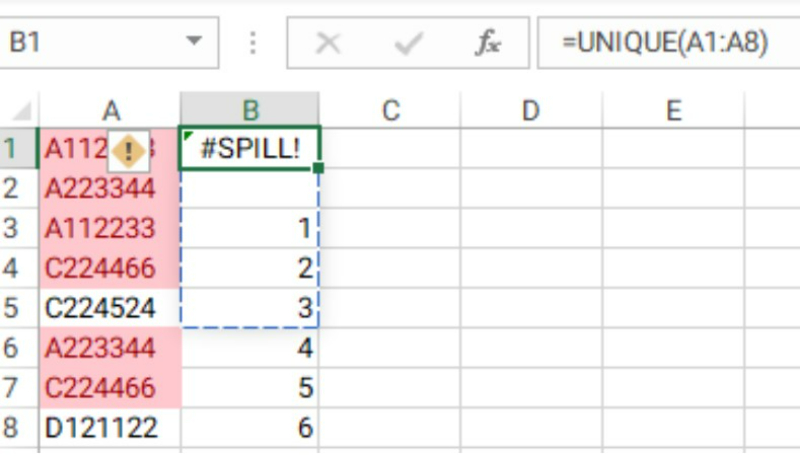
In this article, Buffcom.net wants to share with you a small error that may occur when using the unique function in Excel, which is the #SPILL! error of the Unique function in Excel.

How to Fix #SPILL! Error of Unique Function in Excel

This error is quite rare, but in my opinion, it’s worth sharing. You never know, maybe 1% of you will encounter this error and need a solution.

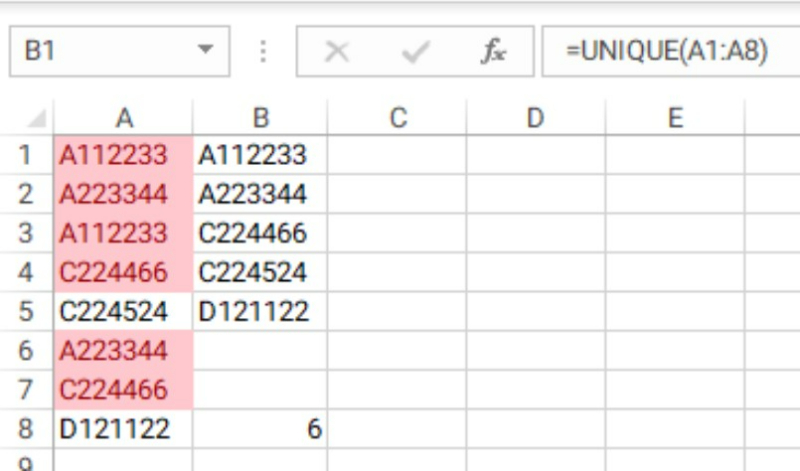
Suppose we have a spreadsheet like this:
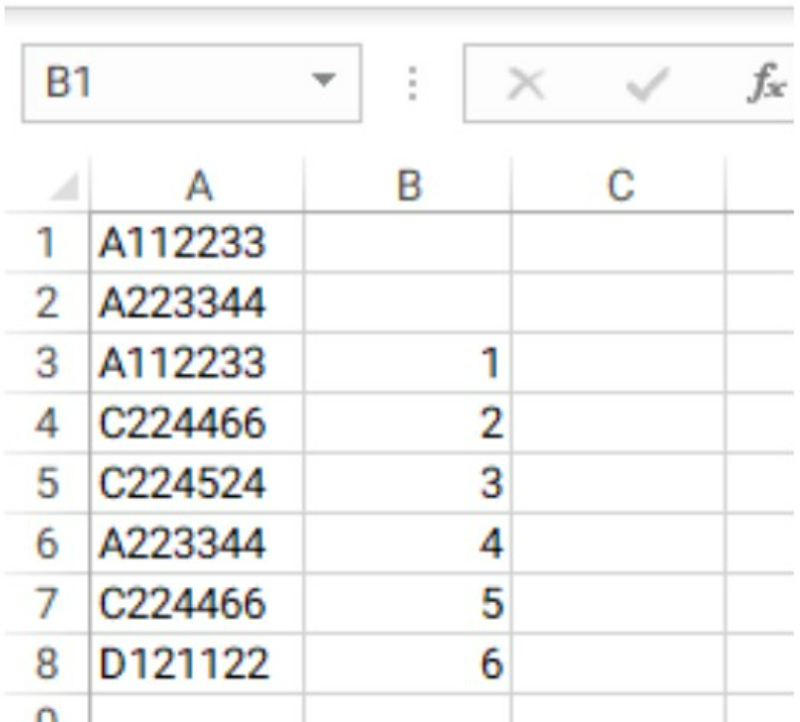
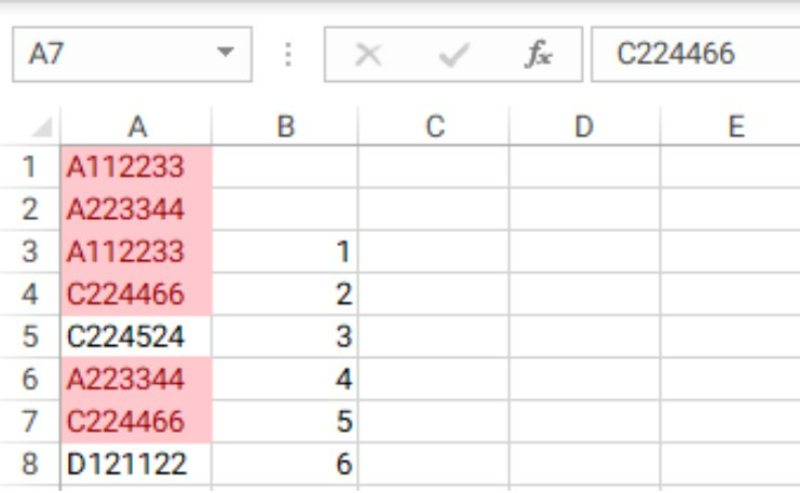
How to Fix SPILL Error of Unique Function in Excel 1First, we will remove duplicates from column A. We use the unique function to keep only the unique values in column A. Before removing duplicates, we use conditional formatting in Excel to highlight the duplicate values for you to preview. How to Fix SPILL Error of Unique Function in Excel 2
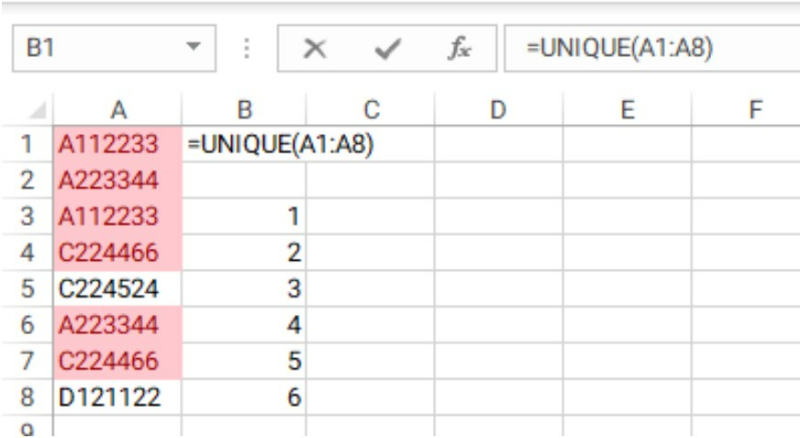
Now, in cell B1, we will use the unique function with the syntax =UNIQUE(A1:A8) How to Fix SPILL Error of Unique Function in Excel 3
When we press enter to execute the function, an error appears. You can see that the unique function needs empty space to execute, but there are already values below, and the unique function cannot overwrite them.How to Fix SPILL Error of Unique Function in Excel 4

To fix this error, you just need to create enough empty space for the unique function to return the values.How to Fix SPILL Error of Unique Function in Excel 5
That’s it! We hope this article helped you understand and solve the #SPILL! error of the unique function in Excel.

Rate this post
62
309 Views
Separating Individual Numbers from a Number Series in ExcelPrevSeparating Individual Numbers from a Number Series in ExcelApril 6, 2023
Automatically Add Borders When There Is Data In ExcelApril 7, 2023Automatically Add Borders When There Is Data In ExcelNext

Leave a Reply Cancel reply

You must be logged in to post a comment.

Buy Windows 11 Professional MS Products CD Key
Buy Office 2021 Professional Plus Key Global For 5 PC
Top rated products
  • Kaspersky Internet Security 2021 1 year 5 devices key Global Kaspersky Internet Security 2021 1 year 5 devices key Global
    Rated 5.00 out of 5
    $45.00
  • Windows Server 2022 Datacenter Key Global Windows Server 2022 Datacenter Key Global
    Rated 5.00 out of 5
    $7.00
  • Kaspersky Small Office Security 10 PCs + 10 Mobiles + 1 Server 1 Year Kaspersky Small Office Security 10 PCs + 10 Mobiles + 1 Server 1 Year
    Rated 5.00 out of 5
    $164.50
  • Avast Ultimate Suite 2021 1 Year 10 Devices Global Avast Ultimate Suite 2021 1 Year 10 Devices Global
    Rated 5.00 out of 5
    $54.00
  • Windows 11 Pro Key Global Windows 11 Pro Key Global
    Rated 5.00 out of 5
    $6.00
Products
  • Microsoft Project 2019 professional Key Global Bind to your Microsoft Account Microsoft Project 2019 professional Key Global Bind to your Microsoft Account
    Rated 4.93 out of 5
    $12.00
  • Windows 10 Pro Key Global Genuine Key Windows 10 Pro Key Global Genuine Key
    Rated 4.78 out of 5
    $6.00
  • Windows Server2008 R2 Remote Desktop Services user connections (20)cal Windows Server2008 R2 Remote Desktop Services user connections (20)cal $29.00
  • Microsoft Office 2019 Home and Student for PC Key Global bind to your Microsoft account Microsoft Office 2019 Home and Student for PC Key Global bind to your Microsoft account
    Rated 4.95 out of 5
    $58.00
  • Windows Server 2025 Remote Desktop Services 50 Device Connections Windows Server 2025 Remote Desktop Services 50 Device Connections $25.00
  • Kaspersky Plus - 1 Device 1 Year - GLOBAL Kaspersky Plus - 1 Device 1 Year - GLOBAL $23.00
  • Kaspersky Total Security 2021 1 year 1 device key Global Kaspersky Total Security 2021 1 year 1 device key Global
    Rated 5.00 out of 5
    $27.00
  • AVG Ultimate 2021 with Antivirus + Cleaner, Secure VPN 10 Devices 2 Years AVG Ultimate 2021 with Antivirus + Cleaner, Secure VPN 10 Devices 2 Years
    Rated 5.00 out of 5
    $47.00
  • Microsoft Visio Professional 2010 Key 1PC Microsoft Visio Professional 2010 Key 1PC $9.00
  • Windows Server 2016 Standard Key Global Windows Server 2016 Standard Key Global
    Rated 4.80 out of 5
    $10.00
Product categories
  • Anti Virus
  • Microsoft Office
  • Microsoft Project
  • Microsoft Visio
  • Microsoft Visual
  • Microsoft Windows
  • Other Software
  • Uncategorized

Buffcom.net always brings the best digital products and services to you. Specializing in Office Software and online marketing services

BIG SALE 50% IN MAY

Microsoft Office
Microsoft Windows
Anti-Virus
Contact Us

Visit Us:

125 Division St, New York, NY 10002, USA

Mail Us:

buffcom.net@gmail.com

TERMS & CONDITIONS | PAYMENT GUIDE  | SHIPPING POLICY  | REFUND POLICY

Copyright © 2019 buffcom.net  All Rights Reserved.