• Microsoft Office
  • Microsoft Windows
  • Other Software
    • Microsoft Visual
    • Microsoft Project
    • Microsoft Visio
    • Anti Virus
  • Blog
    • Word
    • Excel
    • Powerpoint
    • Software tricks/tips

No products in the cart.

  • Microsoft Office
  • Microsoft Windows
  • Other Software
    • Microsoft Visual
    • Microsoft Project
    • Microsoft Visio
    • Anti Virus
  • Blog
    • Word
    • Excel
    • Powerpoint
    • Software tricks/tips

No products in the cart.

  • Microsoft Office
  • Microsoft Windows
  • Other Software
    • Microsoft Visual
    • Microsoft Project
    • Microsoft Visio
    • Anti Virus
  • Blog
    • Word
    • Excel
    • Powerpoint
    • Software tricks/tips

No products in the cart.

  • Microsoft Office
  • Microsoft Windows
  • Other Software
    • Microsoft Visual
    • Microsoft Project
    • Microsoft Visio
    • Anti Virus
  • Blog
    • Word
    • Excel
    • Powerpoint
    • Software tricks/tips
Excel

Summing Values Not Equal to Specific Criteria (SUMIFS)
0 Comments

Summing Values Not Equal to Specific Criteria (SUMIFS) in Excel, when you want to add up values that are not equal to a certain criteria, you can use either SUMIF or SUMIFS, depending on the nature of your data. In this tutorial, we will explore both cases.

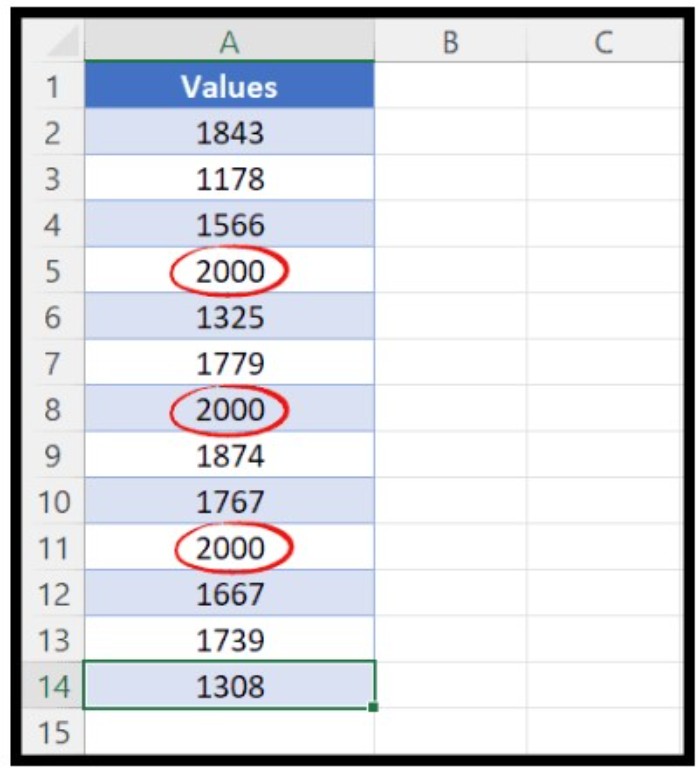
To begin with, let’s consider a situation where we have a list of values with some repeating values, and we want to add up all the values that are not equal to a specific value, say 2000. Here, we can use SUMIF to get the result.

To use SUMIF in this case, follow these steps:
SUMIFS 1

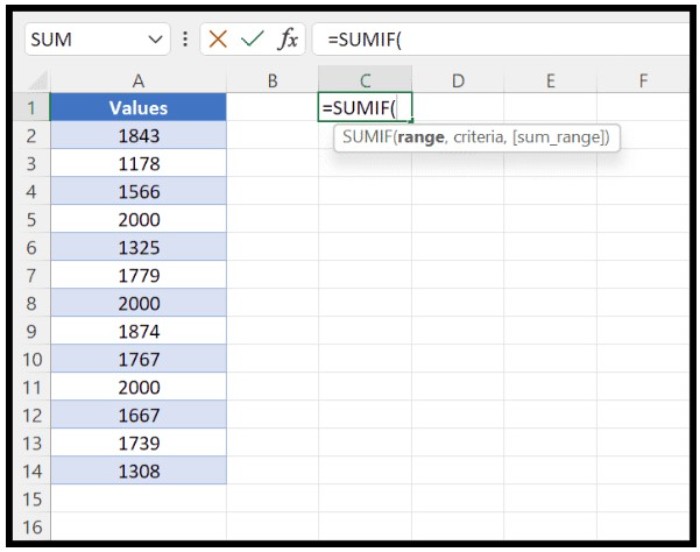
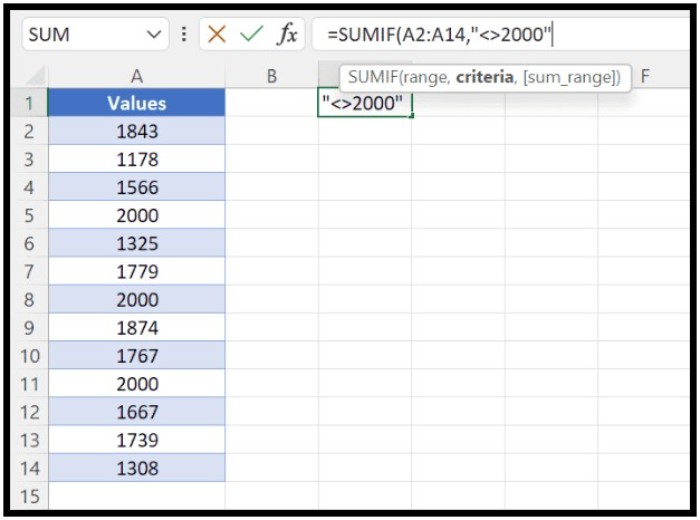
  • Start with entering “=SUMIF” in cell C1.
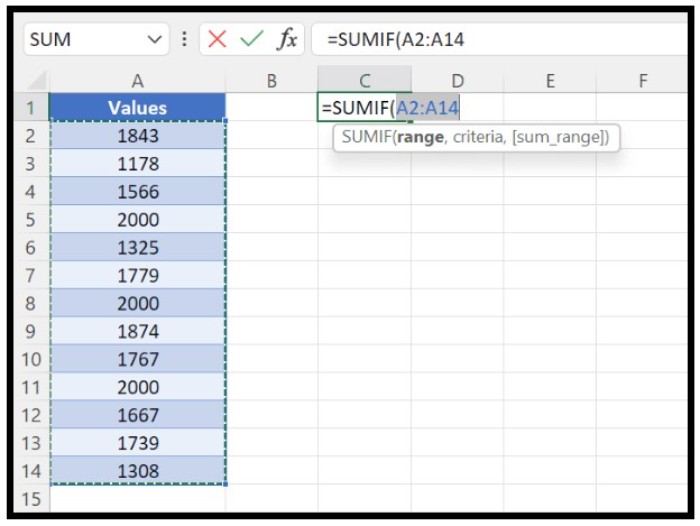
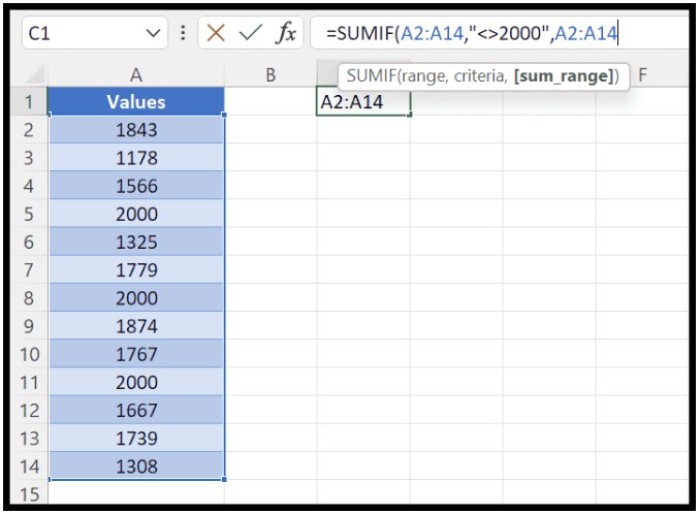
  • Select the range of cells (A2:A14) where we need to check the criteria (not equal to 2000).SUMIFS 2
  • Enter the criteria that we want to use, i.e., not equal to 2000. To do this, we need to use the not equal operator (<>), and enclose it in double quotation marks.SUMIFS 3
  • Specify the range (A2:A14) from where we need to sum the values.
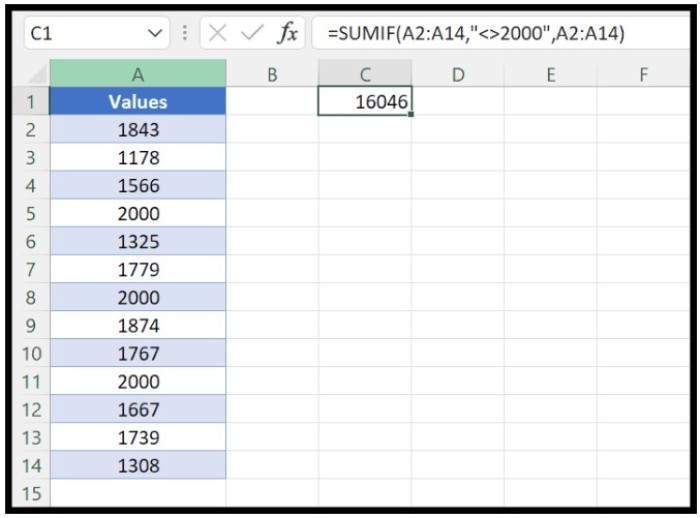
  • Close the parentheses and hit enter.

The resulting formula will look like this:

=SUMIF(A2:A14,”<>2000″,A2:A14)

This formula will add up all the values that are not equal to 2000 in the specified range.
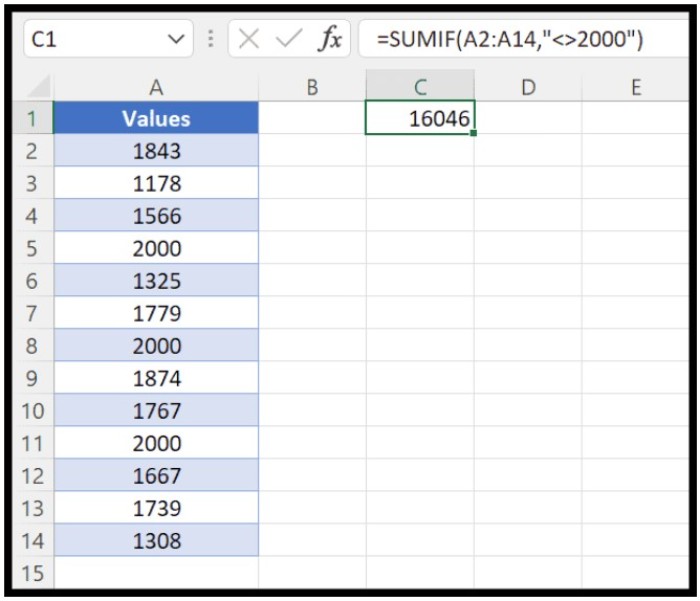
SUMIFS 4Note that [sum_range] is optional. You can skip specifying it and it will still return the total in the result.
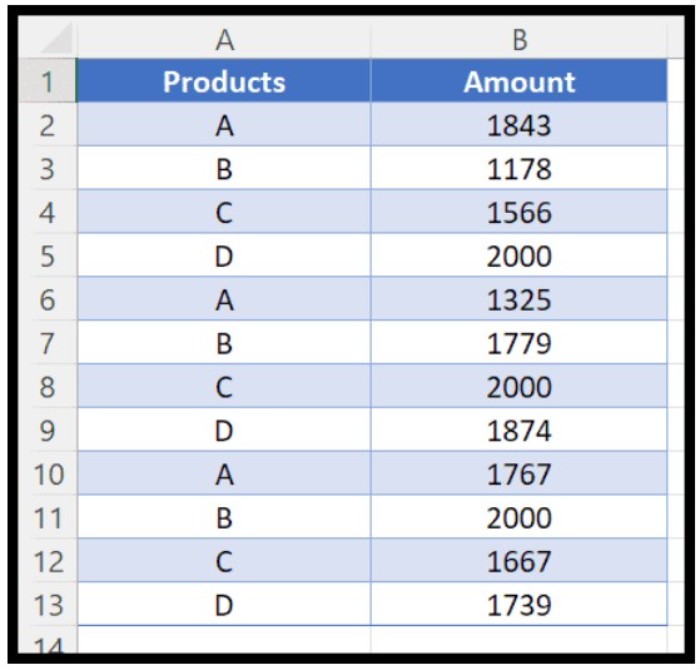
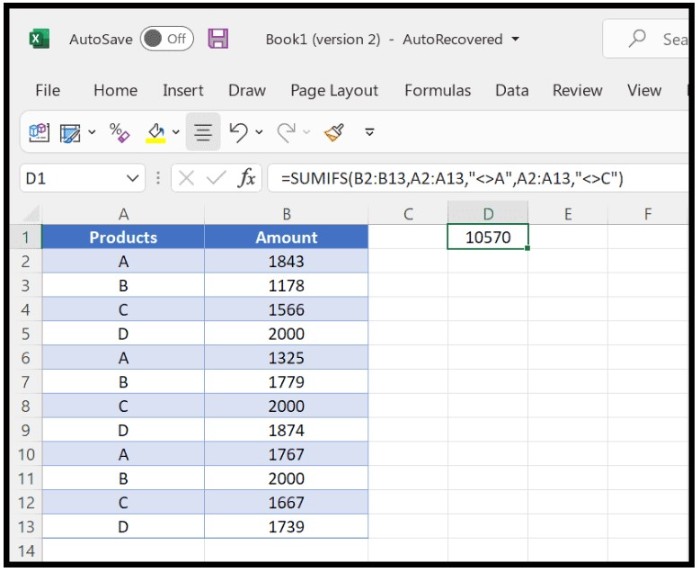
SUMIFS 5Now, let’s look at a situation where we need to sum values using multiple, not equal values. For instance, we have a list of products with their corresponding quantities, and we need to add up the quantities for all products except for A and C. Here, we can use SUMIFS with multiple criteria as follows:
SUMIFS 6=SUMIFS(B2:B13,A2:A13,”<>A”,A2:A13,”<>C”)
SUMIFS 7In this formula, we have used two criteria (not equal to A and not equal to C) to get the sum of the remaining values.
SUMIFS 8That’s it! With these techniques, you can easily sum values not equal to specific criteria in your Excel spreadsheets.

SUMIFS 9

Rate this post
38
298 Views
How to Sum Values Greater Than a Specific Number in Excel using SUMIFPrevHow to Sum Values Greater Than a Specific Number in Excel using SUMIFApril 24, 2023
How to Sum Visible Cells Only (Filter Cells) in ExcelApril 24, 2023How to Sum Visible Cells Only (Filter Cells) in ExcelNext

Leave a Reply Cancel reply

You must be logged in to post a comment.

Buy Windows 11 Professional MS Products CD Key
Buy Office 2021 Professional Plus Key Global For 5 PC
Top rated products
  • Windows 11 Pro Product Activation Key Windows 11 Pro Product Activation Key
    Rated 5.00 out of 5
    $6.00
  • AVG Internet Security 2021 10 Devices 1 Year Global AVG Internet Security 2021 10 Devices 1 Year Global
    Rated 5.00 out of 5
    $30.00
  • Kaspersky Total Security 2021 1 year 1 device key Global Kaspersky Total Security 2021 1 year 1 device key Global
    Rated 5.00 out of 5
    $27.00
  • Avast Ultimate Suite 2021 2 Years 10 Devices Global Avast Ultimate Suite 2021 2 Years 10 Devices Global
    Rated 5.00 out of 5
    $77.00
  • Buy Windows 11 Pro CD Key License Buy Windows 11 Pro CD Key License
    Rated 5.00 out of 5
    $6.00
Products
  • Windows 11 Pro Key Global Windows 11 Pro Key Global
    Rated 5.00 out of 5
    $6.00
  • Microsoft Project 2019 Professional Key Global Microsoft Project 2019 Professional - 5 PC
    Rated 4.97 out of 5
    $12.00
  • Microsoft Visio Standard 2021 Key 1PC Microsoft Visio Standard 2021 Key 1PC $13.00
  • Microsoft Visual Studio Enterprise 2022 For 1 PC Microsoft Visual Studio Enterprise 2022 For 1 PC $19.00
  • Visio Professional 2024 Visio Professional 2024 $43.00
  • Buy Windows 11 Professional MS Products CD Key Buy Windows 11 Professional MS Products CD Key
    Rated 5.00 out of 5
    $6.00
  • microsoft office home and business 2019 pcmac key Microsoft Office Home And Business 2019 (MAC) key bind to your Microsoft account
    Rated 4.95 out of 5
    $30.00
  • Office 2024 Home and Student Office 2024 Home and Student $88.00
  • Project Professional 2013 Microsoft Project Professional 2013 - 1 PC $9.00
  • Microsoft Project Standard 2019 - 1 PC Microsoft Project Standard 2019 - 1 PC $12.00
Product categories
  • Anti Virus
  • Microsoft Office
  • Microsoft Project
  • Microsoft Visio
  • Microsoft Visual
  • Microsoft Windows
  • Other Software
  • Uncategorized

Buffcom.net always brings the best digital products and services to you. Specializing in Office Software and online marketing services

BIG SALE 50% IN MAY

Microsoft Office
Microsoft Windows
Anti-Virus
Contact Us

Visit Us:

125 Division St, New York, NY 10002, USA

Mail Us:

buffcom.net@gmail.com

TERMS & CONDITIONS | PAYMENT GUIDE  | SHIPPING POLICY  | REFUND POLICY

Copyright © 2019 buffcom.net  All Rights Reserved.